
You are trying to log into your email, an administrative site, or an online store, and the password you thought you knew no longer works. This situation is common, but it can quickly become stressful when the blocked access concerns a daily service. Recovering a forgotten password relies on a few simple mechanisms, provided you understand what is really happening on the security side.
The email reset link, a mechanism inherently fragile
Most sites offer a “Forgot Password” button on their login page. By clicking on it, you receive an email containing a temporary link. This link redirects you to a form where you can choose a new password.
The principle seems simple, but this recovery channel has become the most vulnerable link in the security chain. Gartner describes account recovery after credential loss as the riskiest step in the identity management lifecycle. The explanation can be summed up in one sentence: if someone gains access to your email, they also have access to all your reset links.
Before clicking on a reset link received by email, always check the sender’s address. Phishing attempts can closely imitate official emails. A guide detailing how to recover my forgotten password can help you distinguish real procedures from fake ones.
Forgotten password on a Google, Apple, or Microsoft account: the concrete differences
Each major ecosystem has its own recovery logic. Confusing them wastes time.
Google offers several verification paths: a code sent via SMS, a push notification on a device already logged into the account, or a code sent to a secondary email address. If you have not set up any of these options, Google will ask questions about your usage history to try to confirm your identity.
Apple relies on a trusted phone number and, in some cases, on the recovery key generated when enabling two-factor authentication. Without this number or key, the process becomes significantly longer.
Microsoft uses an online recovery form that asks for information about the account (subjects of recent emails, frequent contacts). Validation can take several hours.
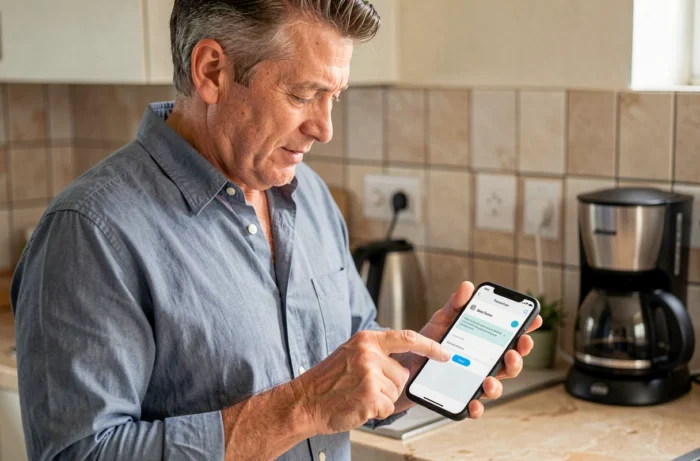
The common point between these three procedures: they all depend on a secondary piece of information configured in advance. An up-to-date phone number, a valid backup address, or a trusted device. Without this, recovery becomes an obstacle course.
Saved passwords in the browser: where to find them before resetting
Before starting a reset procedure, check if your browser has already saved the password in question. This is the quickest and least risky reflex.
- On Chrome, type chrome://settings/passwords in the address bar. A list of all saved credentials will appear, sorted by site. Clicking on the eye icon displays the password in plain text after verifying your session.
- On Firefox, go to Settings, then Privacy & Security, under the section Passwords and Logins. The process is similar.
- On Safari (Mac and iPhone), passwords are stored in iCloud Keychain, accessible from system settings or the Passwords app.
This check takes less than a minute. It prevents triggering a reset that invalidates the old password, which may be used on other accounts (a bad habit, but a frequent reality).
Preparing recovery before a failure: the actions that make a difference
Recovering a forgotten password rarely happens at the moment of loss. It happens at the time of account creation, when you configure (or not) the backup options.
Here’s what makes the difference between a recovery in two minutes and a blockage lasting several days:
- Providing a recovery email address different from the primary address. If your main account is compromised, the backup address remains accessible.
- Enabling two-factor authentication (2FA). A temporary code sent via SMS or generated by an app like Google Authenticator adds a layer of protection. But be careful: 2FA only protects if the recovery channel itself is secure.
- Storing your passwords in a dedicated manager (Bitwarden, KeePass, 1Password) rather than in a text file or on a sticky note. These tools encrypt your credentials and sync them across your devices.
- Noting the one-time recovery codes provided when enabling 2FA. These codes allow you to regain access even if you lose your phone.
Account recovery and European regulation: what changes with eIDAS 2.0
The classic “forgot password, link by email” model is evolving under regulatory pressure. The eIDAS 2.0 regulation (EU regulation 2024/1183), which came into effect on May 20, 2024, mandates that by the end of 2026, each member state must offer at least one free European digital identity wallet.
By the end of 2027, private actors subject to strong authentication obligations (banks, telecom operators, health services) will have to accept this wallet as a means of authentication. In practice, this means that access recovery could involve sovereign digital identity verification rather than just a simple email link.
This change will not eliminate the “Forgot Password” button overnight. But it prepares a world where digital identity gradually replaces the username-password pair for the most sensitive services.
The immediate reflex remains the same: check the browser, use the official reset link, confirm your identity via a secondary channel. What deserves your attention right now is the configuration of backup options on your most important accounts. Five minutes today can save you hours of blockage tomorrow.